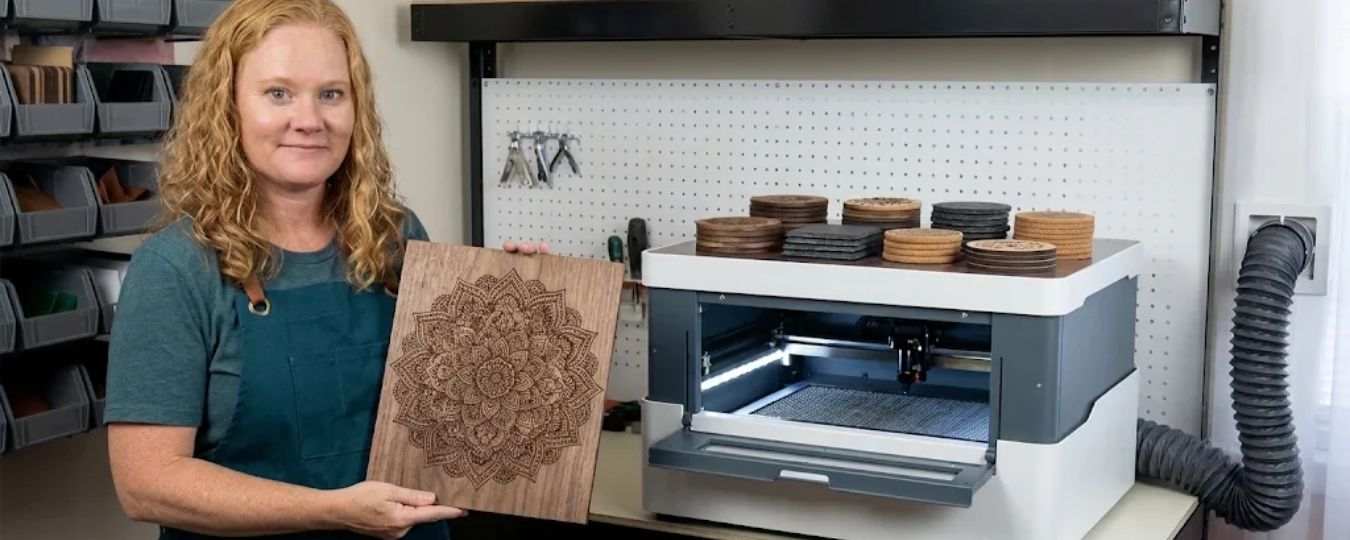
Using a wood laser cutter can turn creative ideas into beautiful, detailed projects. However, smoke, unpleasant odors, and inconsistent cutting results can frustrate users. These problems can affect your workspace, materials, and overall crafting experience.
Whether you create personalized gifts, wooden signs, or decorative home accessories, a clean and comfortable workspace matters. Fortunately, a few practical adjustments can make laser engraving and cutting easier to manage. Choosing suitable equipment, improving ventilation, and maintaining your machine can also help you achieve better results.
Common Challenges When Using a Wood Laser Cutter
Managing Smoke and Unpleasant Odors
Laser cutting wood produces smoke, fine particles, and odors. These byproducts can accumulate around your work area without proper ventilation. Even small projects can create noticeable fumes, especially when you cut thicker materials or work with certain wood types. Consequently, an enclosed workspace can become uncomfortable during longer sessions.
Maintaining Consistent Cutting Quality
Uneven cuts and darkened edges can also frustrate laser crafting enthusiasts. These problems often occur when machine settings do not match the material. For example, excessive power or slow cutting speeds can cause unwanted scorching. Meanwhile, insufficient power may leave sections incompletely cut.
Keeping the Workspace Comfortable
A cluttered or poorly ventilated workspace can make creative projects less enjoyable. Smoke residue may settle on nearby surfaces, while lingering odors can make the room uncomfortable. These challenges become particularly noticeable when you use your machine frequently or work in a small room.
Understanding What Causes Laser Cutting Problems
Several factors contribute to smoke buildup and inconsistent cutting results. First, laser cutting works by heating and removing material along a programmed path. When the laser interacts with wood, it produces smoke and other airborne byproducts. Second, different wood varieties respond differently to laser energy.
Plywood, hardwood, and softer woods may require different settings to achieve clean results. Material coatings, adhesives, and moisture content can also influence cutting performance. Therefore, understanding your material is essential before starting a project.
Finally, inadequate ventilation allows smoke to remain near the machine. Without suitable extraction, airborne particles and odors can spread throughout the workspace.
Practical Ways to Improve Your Laser Cutting Experience
Choose the Right Wood and Settings
Start by selecting materials specifically suitable for laser processing. Check the manufacturer's recommendations before using unfamiliar wood or plywood. Next, test your settings on a small sample. Adjust the power and speed gradually until you achieve the desired cutting depth and edge quality.
Avoid using excessive laser power simply to finish a project faster. Appropriate settings can reduce unnecessary burning and help preserve material quality.
Improve Ventilation Around Your Machine
Position your machine in a well-ventilated area whenever possible. Use an appropriate extraction system to remove smoke from the cutting zone. A dedicated extractor can help capture airborne byproducts before they spread throughout your workspace.
However, extraction equipment must match your machine and project requirements. For additional protection, follow the manufacturer's recommendations for filtration, exhaust placement, and maintenance.
Keep Your Equipment Clean
Regular maintenance can improve both performance and reliability. Remove accumulated residue from accessible machine surfaces according to the manufacturer's instructions.
Check the cutting bed, ventilation connections, and other components for buildup or obstructions. Additionally, inspect extraction filters regularly. Replace them when necessary to maintain effective airflow.
Follow Safe Operating Practices
Never leave a laser cutter operating unattended. Keep combustible materials away from the cutting area, and stop the machine if you notice unusual smoke or signs of fire. Use only approved materials and follow the equipment manufacturer's safety instructions. Proper extraction supports a cleaner workspace, but it does not eliminate every potential hazard.
Introducing the Wecreat AirGuard Mini Fume Extractor
For creators who want a more convenient approach to managing smoke, dedicated extraction equipment can make a meaningful difference. The Wecreat AirGuard Mini Fume Extractor offers an option for users seeking a compact solution for their laser crafting setup.
When paired with compatible equipment, a suitable extractor can help manage fumes generated during cutting and engraving. The Wecreat laser ecosystem also provides an option for creators exploring laser-based crafting equipment. However, choosing the right setup requires more than comparing product features.
Before purchasing the Wecreat AirGuard Mini Fume Extractor, confirm its compatibility with your machine and workspace. Review its filtration specifications, airflow requirements, and recommended operating conditions. These details help determine whether the extractor suits your projects and ventilation needs.
Benefits of Upgrading Your Laser Crafting Setup
Enjoy a More Comfortable Workspace
An appropriate extraction system can help reduce smoke and odors around your machine. This can make longer crafting sessions more comfortable, particularly when working indoors. It also helps limit the spread of airborne residue throughout your immediate workspace. Nevertheless, extraction performance depends on correct installation, suitable filtration, and regular maintenance.
Spend More Time Creating
Managing smoke manually can interrupt your workflow. A properly configured extraction system can help reduce these interruptions. Instead of repeatedly adjusting your workspace to manage fumes, you can focus more consistently on designing, cutting, and finishing projects.
The Wecreat AirGuard Mini Fume Extractor may be worth considering if its specifications meet your particular requirements.
Support More Consistent Results
A cleaner workspace makes routine maintenance easier and helps you identify potential problems sooner. Although an extractor does not directly control cutting accuracy, it supports a better-managed crafting environment.
Combining suitable extraction with appropriate laser settings can improve your overall experience.For creators considering a Wecreat laser setup, evaluating ventilation alongside cutting performance is a practical way to plan a reliable workspace.
Conclusion
A wood laser cutter can open up exciting creative possibilities, but smoke management and cutting quality deserve careful attention. Choosing suitable materials, adjusting machine settings, maintaining equipment, and improving ventilation can make your projects more manageable.
Dedicated extraction equipment may also help create a cleaner and more comfortable working environment. If you are considering the Wecreat AirGuard Mini Fume Extractor, review its specifications and compatibility before making a decision.
The right setup should support your creative goals while meeting your workspace's ventilation and safety requirements.With thoughtful preparation, you can spend less time managing common laser cutting challenges and more time bringing your ideas to life.
Stay tuned to TheTrackReview to explore more about Wecreat.