Choosing a capable 3D printer requires careful consideration. Printing complex designs can involve repeated material changes. Traditional workflows may also create unnecessary filament waste. These challenges affect time, material, and creativity.
Snapmaker offers solutions for modern makers and creators. Its U1 printer focuses on efficient multi-material production. The machine combines automation with flexible printing options. This review explores its features, benefits, and limitations.
Brand Overview – Snapmaker
Snapmaker develops machines for digital fabrication and creativity. Its range includes 3D printers and laser engravers. The company also offers CNC machining equipment. Its products support hobbyists, designers, and professional makers.
Snapmaker combines hardware with dedicated creative software. Its ecosystem includes accessories, materials, and community resources.
Product Overview – Snapmaker U1
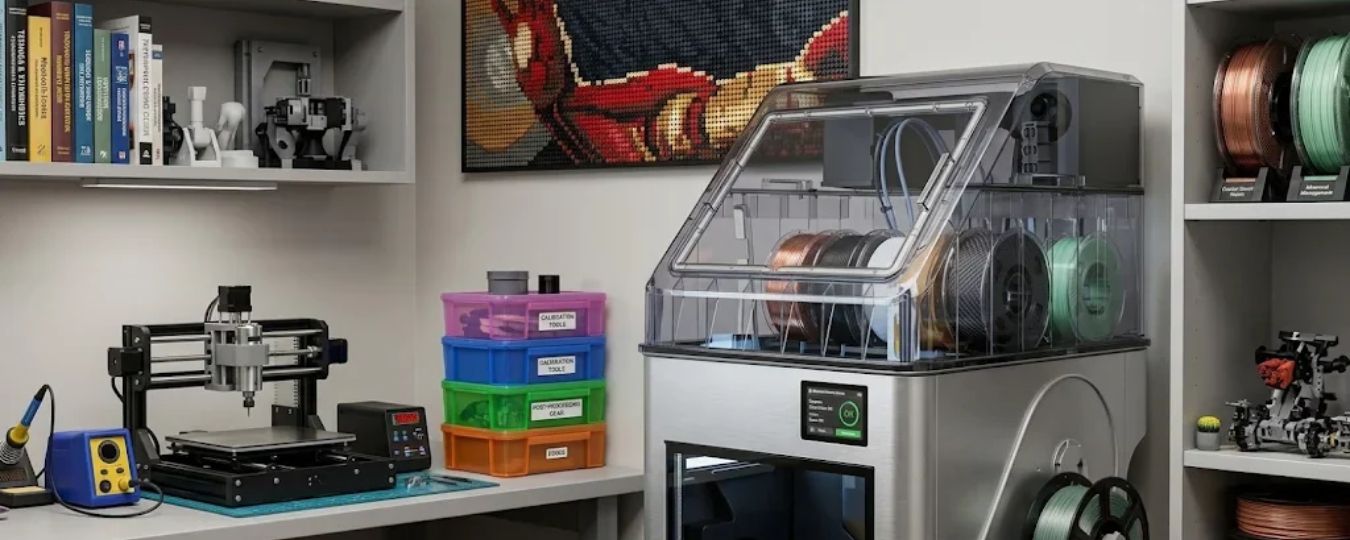
The Snapmaker U1 3D Printer uses four toolheads. This system supports multi-colour and multi-material printing. Each toolhead handles its own filament. The machine switches between toolheads automatically. This reduces repeated manual filament changes.
Its build volume measures 270mm cubed. The printer uses a CoreXY motion system. Snapmaker lists speeds reaching 500mm per second. Acceleration reaches 20,000mm per second squared. Actual results depend on printing conditions.
Key Features Worth Exploring
Here are the Snapmaker U1's main features.
Four-Toolhead SnapSwap System
The SnapSwap system forms the printer's main attraction. It includes four independent toolheads. Direct toolhead swaps take approximately five seconds. Each toolhead carries its own filament. This supports complex multi-colour printing workflows.
Separate toolheads also support different materials. Creators can combine colours within one model. They can also use different support materials. This expands possibilities for detailed designs.
Automatic Toolhead Calibration
Accurate positioning matters during multi-colour printing. Misalignment can affect finished model quality. The U1 automatically calibrates toolhead offsets. Snapmaker specifies alignment within 0.04mm. This helps maintain consistent positioning between toolheads.
Input Shaping also helps manage machine vibrations. Pressure Advance adjusts extrusion timing during movement. These systems support cleaner printed details.
High-Speed CoreXY Performance
The U1 uses a robust CoreXY structure. Snapmaker lists speeds reaching 500mm per second. Maximum acceleration reaches 20,000mm per second squared. These specifications support faster printing workflows.
However, maximum speed is not universal. Print quality depends on material and settings. Model complexity also affects printing time. Users should select suitable profiles carefully.
Smart Filament Management
Managing several filament spools can become complicated. The U1 includes automatic filament loading. It also supports filament detection and backup mode. Backup Mode switches to a matching replacement filament. This helps continue jobs after spool depletion.
RFID recognition identifies supported Snapmaker filament information. A dedicated waste collector stores printing waste. Together, these features simplify routine management.
Intelligent Print Monitoring
Long printing jobs require reliable monitoring. The U1 includes an integrated camera. Users can monitor prints remotely. The camera also supports time-lapse recording. AI-assisted monitoring detects selected printing problems.
Its sensors check several operating conditions. These include filament runout and air printing. The system also detects toolhead-related errors. Alerts help users respond to detected problems.
Flexible Software Compatibility
Software plays an important role in printing. Snapmaker supports its dedicated Snapmaker Orca software. The machine also supports OrcaSlicer. Users can prepare models and adjust settings. The Snapmaker App provides remote monitoring capabilities.
Supported computer systems include Windows, macOS, and Linux. Mobile applications support Android and iOS. This provides several workflow management options.
Everyday Benefits
The U1 offers several useful creative advantages. Consider these points before purchasing:
- Four toolheads support multi-colour printing.
- Separate toolheads enable different material combinations.
- Automatic calibration reduces manual adjustment.
- Backup Mode helps manage filament depletion.
- Remote monitoring supports convenient print supervision.
- A 270mm cubed build volume accommodates larger models.
- Open-source software compatibility offers workflow flexibility.
These features suit creative and technical projects. They may also benefit small production workflows. However, beginners still need printing experience. Learning materials and settings take practice.
Pros and Cons
Pros
- Four independent toolheads.
- Fast automatic toolhead switching.
- Multi-colour and multi-material capabilities.
- Automatic calibration and compensation.
- Integrated camera with monitoring features.
- Broad software compatibility.
Cons
- Advanced features require initial learning.
- Four spools require additional storage space.
- Some features favour official Snapmaker filaments.
- Printing results depend on selected settings.
- Additional accessories may increase overall costs.
What Should Buyers Consider?
Check the available workspace before purchasing. Allow enough room for filament spools. Consider your preferred materials and printing projects. Review compatible filaments and nozzle requirements.
Also consider maintenance and regular cleaning. Toolheads and moving components need proper care. Follow Snapmaker's safety and operating instructions. Compare available accessories before choosing a bundle.
Frequently Asked Questions
How many toolheads does Snapmaker U1 have?
It includes four independent toolheads. Each toolhead supports a separate filament.
What is its build volume?
The listed build volume measures 270mm cubed. This supports larger models and batch printing.
Does the U1 support multi-material printing?
Yes. Its four-toolhead system supports different materials. Compatibility depends on material requirements.
Can users monitor prints remotely?
Yes. Its camera supports remote monitoring. The system also offers time-lapse recording.
Final Verdict
The Snapmaker U1 offers an advanced printing experience. Its four-toolhead design supports creative flexibility. Automatic calibration simplifies several technical processes. Filament management features also improve convenience.
However, buyers should consider their actual needs. Beginners may require time to learn. Experienced makers may appreciate its expanded capabilities. Overall, the U1 deserves consideration for versatile printing.
Stay tuned to TheTrackReview to explore more about Snapmaker.